
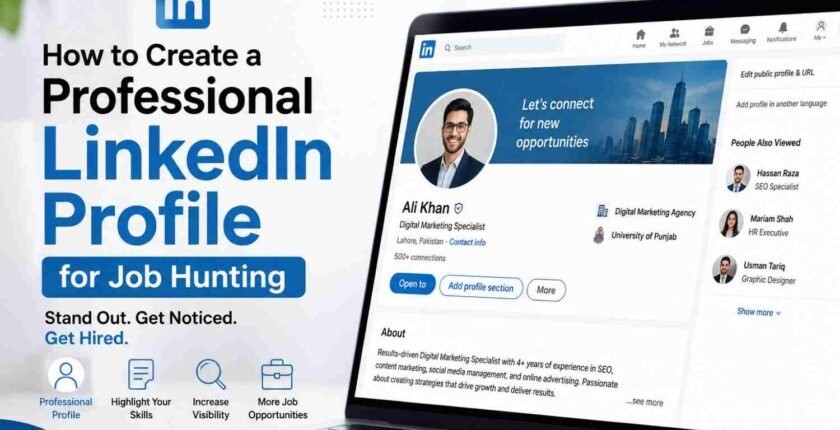
Create a Professional LinkedIn Profile for Job Hunting
Introduction
I still remember the first time a recruiter told me she almost skipped my profile because my headline just said “Marketing Professional.” Nothing else. No context, no personality, nothing that told her I actually knew what I was doing. That one comment changed how I look at LinkedIn completely, and it is the reason I want to walk you through this the right way.
If you have ever spent an hour tweaking your resume and then thrown together your LinkedIn profile in five minutes, you are not alone. Most people treat LinkedIn like an afterthought. But here is the thing. Recruiters often check LinkedIn before they even open your resume. So if your profile looks rushed or empty, you might lose the opportunity before anyone reads a single line of your work history.
This article is going to walk you through how to create a professional LinkedIn profile step by step, in a way that actually works for job hunting, not just a profile that looks nice.
Why Your LinkedIn Profile Matters More Than You Think
Think about it for a moment. When someone Googles your name, what comes up? For a lot of people, their LinkedIn profile is one of the first results. That means your profile is often the first impression a hiring manager gets, sometimes even before an interview is scheduled.
I have noticed that job seekers who treat their LinkedIn profile like a living resume, one that grows and updates over time, tend to get more messages from recruiters. Not because they got lucky, but because their profile was built to be found and understood quickly.
Here’s what most people don’t realize. LinkedIn’s search works a lot like a search engine. Recruiters type in keywords related to the role they are hiring for, and LinkedIn shows profiles that match those terms. If your profile does not include the right words in the right places, you simply will not show up, no matter how qualified you are.
Start With a Photo That Actually Represents You
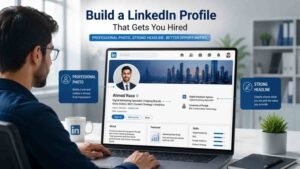
Let me explain something that surprises a lot of people. LinkedIn profiles with a clear, friendly headshot get significantly more views than those without one or with a blurry vacation photo cropped awkwardly.
A good LinkedIn photo does not need a professional photographer. What it needs is good lighting, a simple background, and a genuine expression. Imagine this. You are scrolling through a list of candidates and one profile has a warm, approachable photo while another has no photo at all, just a gray silhouette. Which one would you naturally trust more?
One mistake I often see is people using group photos or old pictures from years ago. If someone meets you after seeing your profile, they should recognize you. That sounds obvious, but it happens more than you would think.
Write a Headline That Says Something Real
Your headline is the text that shows up right under your name, and it is one of the most overlooked parts of a profile. Many people think it should just be their current job title. It should be more than that.
Instead of writing something plain like “Sales Associate,” try something that shows what you actually do and who you help. For example, “Sales Associate Helping Small Businesses Grow Their Local Customer Base” tells a much clearer story. It gives context, and it naturally includes keywords a recruiter might search for.
When someone starts job hunting, they often forget that the headline is prime real estate. It shows up in search results, in comments, and in connection requests. Use it wisely instead of leaving it as a default job title.
Also read: How to Make a Professional CV for Jobs in Pakistan
Build a Summary That Sounds Like You, Not a Robot
This is the section where people either shine or completely lose the reader. From what I have seen, the best LinkedIn summaries read like a short conversation, not a formal cover letter.
Start with something honest. Talk about what drives you in your work, what kind of problems you enjoy solving, and where you want to go next. If she is a project manager who loves untangling messy timelines and turning chaos into a clear plan, that should come through in her own words, not generic corporate language.
Avoid writing your summary as a list of duties copied from your resume. That is completely normal to attempt at first, but it does not connect with anyone. Instead, write it the way you would explain your career to a friend over coffee. Keep sentences short. Let some personality show. This usually happens because people are afraid of sounding unprofessional, but a little warmth actually builds trust faster than stiff corporate wording ever could.
Fill Out Your Experience Section With Real Detail
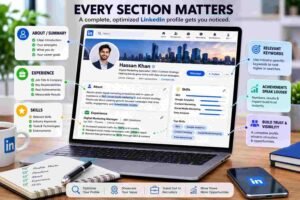
When they look at your experience section, hiring managers are not just checking where you worked. They are trying to picture what you actually did there and whether you could do something similar for them.
For each role, briefly describe your responsibilities, but do not stop there. Include specific outcomes when you can. Did you improve a process? Did you help a team hit a goal? Did you handle a difficult situation that taught you something valuable? These details make your experience feel real instead of just a list of job titles with dates attached.
If you have ever read a profile that just says “Responsible for managing a team,” you know how forgettable that sounds. Compare that to something like “Led a team of six through a product launch that increased customer sign ups within the first month.” The second one paints a picture. The first one barely registers.
Ask For Recommendations, But Do It the Right Way
In my experience, people wait far too long to ask for recommendations, usually right when they need a new job urgently. By then, it can feel awkward reaching out to someone you have not spoken to in years.
A better approach is to ask for a recommendation shortly after finishing a project or leaving a role, while the memory is still fresh for both of you. When you ask, be specific. Instead of a generic request, mention something you worked on together and ask if they would be willing to speak to that particular experience.
That is completely normal to feel a little uncomfortable asking, but most people are happy to help if you make it easy for them. A short, thoughtful message usually works better than a long, formal one.
Use Skills and Keywords Recruiters Actually Search For
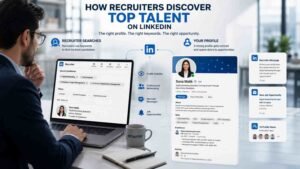
This part connects directly back to how LinkedIn’s search works. If you want recruiters to find you, your skills section needs to reflect the terms used in job postings for the role you want, not just general terms like “hard worker” or “team player.”
Look at three or four job listings for positions you are interested in and notice which specific skills or tools they mention repeatedly. Add those, assuming they honestly apply to you, into your skills section and naturally throughout your summary and experience descriptions.
This usually happens because people assume their job title alone is enough to be found. It is not. A hiring manager searching for “data analysis” or “customer relationship management” will not find you if those exact terms never appear anywhere on your profile.
Stay Active, Not Just Present
Here is something people often skip. A profile that looks complete but shows zero activity can quietly signal that someone is not really engaged. You do not need to post every day, but occasionally sharing an article, commenting thoughtfully on someone else’s post, or celebrating a colleague’s achievement keeps your name visible in a natural way.
If you have ever noticed how some names keep popping up in your feed even though you rarely interact with them directly, that is usually because they stay lightly active. It is a small habit, but it adds up over time.
Common Mistakes to Avoid
A few mistakes show up again and again, and they are easy to fix once you know what to look for.
- Leaving the profile completely private so recruiters cannot see your activity or full details
- Using a headline that is just a job title with nothing else
- Writing a summary that reads like a list instead of a story
- Forgetting to update the profile after changing jobs or gaining new skills
- Connecting with everyone blindly instead of building relationships with people in your industry
None of these mistakes are unusual. Almost everyone makes one or two of them at some point. The good news is that each one takes only a few minutes to correct once you notice it.
FAQ
How long should my LinkedIn summary be?
There is no strict rule, but somewhere between 150 and 300 words tends to work well. Long enough to tell a real story, short enough that people actually read the whole thing instead of skimming past it.
Should I include a job I only stayed at for a few months?
Generally yes, especially if it adds relevant experience. You can briefly explain the situation in your summary if it feels necessary, but leaving unexplained gaps often raises more questions than a short stay does.
Is it okay to connect with recruiters I have never met?
Yes, that is actually one of the better ways to use LinkedIn. Just personalize your connection request with a short note explaining why you are reaching out, instead of sending the default blank invitation.
How often should I update my LinkedIn profile?
Ideally, update it whenever something meaningful changes, a new skill, a completed project, or a new role. Waiting until you need a job again often means forgetting important details.
Does having a LinkedIn profile picture really matter that much?
It matters more than most people expect. Profiles with photos tend to get noticed and trusted faster, simply because people naturally connect a face with a name.
Should my LinkedIn match my resume exactly?
They should tell the same overall story, but they do not need to be identical. LinkedIn allows more personality and context, while a resume tends to stay more concise and formatted for a specific job.
What if I am changing careers completely?
Focus your headline and summary on transferable skills and what draws you to the new field. Mention any courses, projects, or volunteer work related to the new direction, since those help fill the gap until you gain formal experience.
Is it worth paying for LinkedIn Premium when job hunting?
It depends on your situation. Some people find the extra insights and messaging features helpful during an active search, while others do just fine with the free version by staying consistent with the tips above.
Final Thoughts
Building a strong LinkedIn profile is not about making yourself sound perfect. It is about making it easy for the right person to understand who you are and what you bring to the table. Take it one section at a time. Fix the photo this week, rewrite the headline next, then work on the summary when you have a bit more time to think it through.
A profile built with care, even slowly, will always beat one thrown together in a rush. Give yours the attention it deserves, and it might just open a door you were not expecting.
Pingback: Highest Paying IT Jobs in Pakistan in 2026